How to Schedule Instagram Posts in 2026: 3 Free and Paid Ways
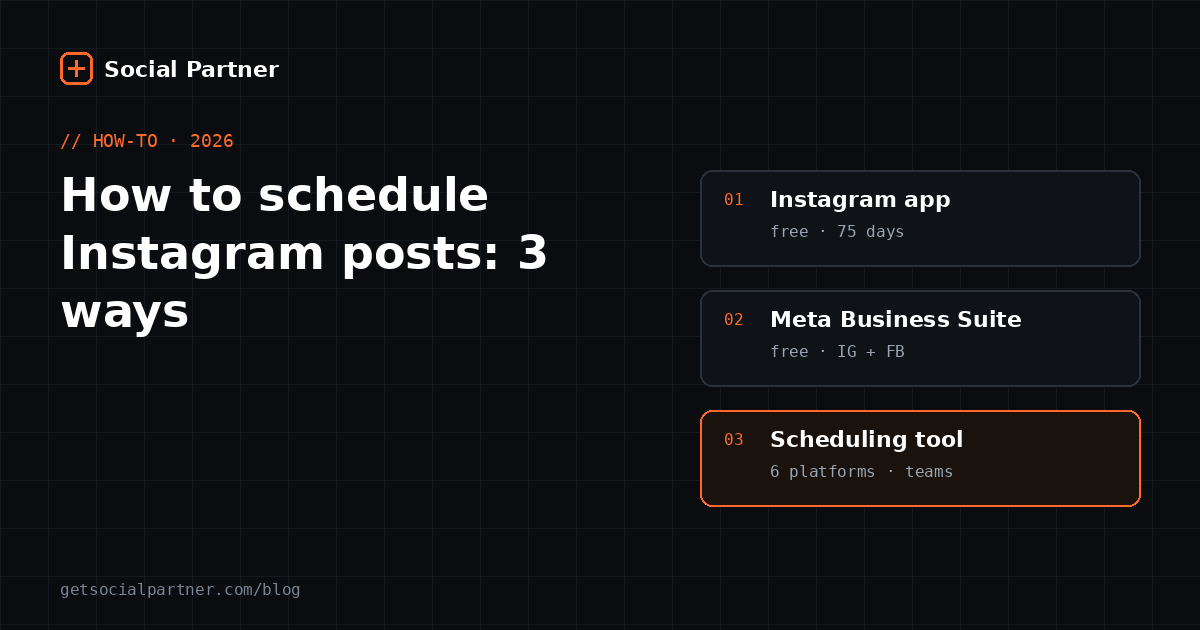
You can schedule Instagram posts, Reels and carousels up to 75 days in advance if you have a professional (Business or Creator) account. Do it free in the Instagram app under Advanced settings → Schedule this post, free on a computer with Meta Business Suite, or with a scheduling tool when you also post to Facebook, Google, YouTube or LinkedIn.
Posting every day sounds simple until you run a shop, a studio or a small team. The good post you meant to share at lunch gets pushed to 10 PM, then to tomorrow. Scheduling fixes that: you prepare posts when you have a quiet hour, and Instagram publishes them at the time you choose.
This guide covers the three ways to schedule Instagram posts in 2026, from completely free to multi-platform, with exact steps for each. It also covers the checks that stop a scheduled post from failing on the day it matters. If you're unsure when to post, read our guide to the best time to post on Instagram after this one.
Can you schedule Instagram posts?
Yes. Any Instagram professional account, Business or Creator, can schedule feed posts, Reels and carousels up to 75 days ahead. Instagram opened native scheduling to all professional accounts in November 2022, as TechCrunch reported. Personal accounts can't schedule, but switching costs nothing.
A professional account also gives you Insights, a contact button and access to tools like Meta Business Suite. For a business there's no real downside. The main trade-off is that Business accounts have a smaller library of music for Reels, because commercial use needs licensed tracks.
Since November 2022, every Instagram Business and Creator account can schedule posts, Reels and carousels up to 75 days in advance directly in the app, through the Advanced settings screen, at no cost.
How do you switch to a professional account?
Open your profile, tap the menu, go to Account type and tools, and tap Switch to professional account. Pick a category that describes your business, then choose Business or Creator. The whole switch takes about a minute, and your posts and followers stay exactly as they were.
- Choose Business if you sell products or services. You get contact buttons and can connect to a Facebook Page.
- Choose Creator if you're a personal brand, such as a coach, artist or influencer.
- Link a Facebook Page if you plan to use Meta Business Suite or most scheduling tools. It's optional for in-app scheduling.
Method 1: How do you schedule posts in the Instagram app?
Create your post as usual, and on the final screen tap Advanced settings, switch on Schedule this post and pick a date and time. Instagram saves it and publishes it automatically. It's free, it takes seconds, and it's the best option if you only post to Instagram and prefer working on your phone.
- Create your post. Tap +, choose Post or Reel, add your media and write the caption.
- Open Advanced settings. It's at the bottom of the screen where you add the caption and location.
- Turn on Schedule this post. Choose the date and time, then go back.
- Tap Schedule. The button replaces Share once a time is set.
- Check it later. Profile menu → Scheduled content shows every queued post. You can edit, reschedule or delete from there.
Tip Write captions in a notes app first. If you're interrupted while scheduling on your phone, you won't lose the text, and you can paste the same caption into Facebook later.
Method 2: How do you schedule Instagram posts from a computer?
Use Meta Business Suite, Meta's free dashboard for Facebook and Instagram. Connect your Instagram account, click Create post, select Instagram (and Facebook if you want both), add media and a caption, then choose Schedule. Meta Business Suite also schedules up to 75 days ahead, according to OneUp's 2026 review.
Scheduling from a computer is faster when you're preparing a week of posts at once. You can type captions on a real keyboard, drag photos from a folder and see every post on a calendar in the Planner view.
- Good for: shops that post to Instagram and Facebook only.
- Not covered: Google Business Profile, YouTube, LinkedIn or X. You'd still post those separately.
Method 3: When should you use a scheduling tool?
Use a scheduling tool when Instagram is only one of the places you post. Tools such as Buffer, Hootsuite or Social Partner publish one post to several platforms at once, let staff help without sharing passwords and let you plan a month in one sitting. Free plans exist, but they usually limit how many accounts or posts you can queue.
For example, Buffer's free plan covers up to 3 channels and 10 scheduled posts per channel at a time. That's enough to try scheduling, but tight for a business posting daily. Paid tools remove those limits and add things like bulk upload, analytics and AI caption help.
If you're comparing options, our guide to the best social media scheduling tools in 2026 lays out prices and limits side by side.
| Instagram app | Meta Business Suite | Scheduling tool | |
|---|---|---|---|
| Cost | Free | Free | Free plan or paid |
| Device | Phone | Computer or phone | Computer or phone |
| Platforms | Instagram, Facebook | Instagram plus Google, YouTube, LinkedIn, X and more | |
| How far ahead | 75 days | 75 days | Depends on tool |
| Team access | No | Yes, with Meta roles | Yes |
| Best for | One account, occasional posts | Instagram + Facebook businesses | Multi-platform, teams, monthly planning |
How do you plan a week of posts in one hour?
Batch the work. Pick one quiet hour each week, gather the photos you took during the week, write all the captions together and schedule everything in one go. Batching is faster because you stay in one mindset instead of switching between selling and posting several times a day.
Our take A simple weekly rhythm usually beats a big content calendar that nobody follows. Here's the one we recommend to shop owners:
- Monday to Saturday: take photos as things happen. New stock, a happy customer, a busy counter.
- Sunday, 30 minutes: pick the best five photos and write one line about each.
- Sunday, 30 minutes: turn those lines into captions, add hashtags and schedule the week.
Need ideas for what to post? Our list of social media post ideas for local shops has 60 of them, sorted by type.
What should you check before you hit schedule?
Check four things: the image shape fits Instagram, the caption reads well on a phone, the account is still connected and the time suits your audience. Most scheduled posts that fail or flop break one of these. A two-minute check before a busy week saves an embarrassing gap later.
- Shape: feed posts support shapes from wide (1.91:1) to portrait (4:5). Portrait 4:5 takes up the most screen. Reels are vertical 9:16.
- Caption: put the key message in the first line. Instagram cuts longer captions with "more".
- Connection: if you changed your password or Facebook Page settings, reconnect the account in your tool.
- Timing: schedule for when your followers are active. Your Insights show this under Total followers → Most active times.
Why did my scheduled Instagram post not publish?
The usual causes are a disconnected account, a switch back to a personal profile, an unsupported file or a music track that isn't licensed for business use. Instagram and scheduling tools normally show an error or send a notification. Fix the cause, then reschedule the post for the next good slot.
| Problem | Likely cause | Fix |
|---|---|---|
| Schedule option missing | Personal account or old app version | Switch to professional and update the app |
| Post failed in a tool | Login expired or password changed | Reconnect the Instagram account |
| Reel won't upload | Wrong shape or very large file | Export as vertical 9:16 MP4 |
| Music removed | Track not licensed for business accounts | Use music from the business-safe library |
Questions about how Social Partner handles any of this? Our FAQ covers account safety and setup, or you can message us on WhatsApp.
How should businesses in India schedule Instagram posts?
Schedule in IST around lunch and early evening, batch festival posts weeks ahead and write captions the way your customers talk. India has about 481 million people reachable on Instagram, according to DataReportal's Digital 2026: India report, so a consistent schedule puts even a small shop in front of a large local audience.
- Timing: start with Tuesday to Thursday, 12–3 PM IST, and test 6–9 PM. Our best time to post in India guide has day-by-day slots.
- Festivals: schedule Diwali, Holi and Eid posts at least a week early, so they go out even on your busiest sales days. Our festival post calendar lists the dates.
- Language: English, Hindi and Hinglish captions all work. Match your customers, not a textbook.
- Uploads: on a slow connection, upload media on Wi-Fi when scheduling, rather than at the moment of posting. A scheduled post doesn't need your phone online when it publishes.
What if you also post to Facebook, Google and YouTube?
Then schedule everything from one place. Copying the same post into four apps takes four times as long and makes mistakes more likely. A multi-platform tool publishes one post to every account you choose, at the same time or at different times for each platform.
Local businesses in particular shouldn't forget Google. Posts on your Google Business Profile show up when people search for you on Google Search and Maps. Our Google Business Profile posts guide explains what to post there each week.
Social Partner schedules to Instagram, Facebook, Google Business Profile, YouTube, LinkedIn and X from one dashboard, with free AI captions, for ₹500 a month.
Post at the right time, automatically
Schedule a week of Instagram, Facebook and Google posts in one sitting. Social Partner publishes them at your best time, with free AI captions.
Frequently asked questions
Can I schedule Instagram posts for free?
Yes. Professional accounts can schedule posts, Reels and carousels inside the Instagram app, and on a computer through Meta Business Suite, both at no cost. Free plans of tools like Buffer also work, with limits: Buffer's free plan covers up to 3 channels and 10 scheduled posts per channel at a time.
How far in advance can I schedule Instagram posts?
Up to 75 days. Instagram set that limit when it opened native scheduling to all professional accounts in November 2022, and Meta Business Suite uses the same 75-day window. Third-party tools can hold posts longer in their own queue and send them when the date arrives.
Why can't I see the schedule option on Instagram?
The option only appears for professional accounts. If you're on a personal account, switch to Business or Creator in Settings under Account type and tools. Also update the app, because the toggle sits under Advanced settings on the last screen before you share.
Can I edit a post after scheduling it?
Yes. In the app, open your profile menu, tap Scheduled content, and you can change the time, edit the caption or delete the post. In Meta Business Suite, open Planner, click the post and choose edit or reschedule.
Do scheduled posts get less reach than posts shared manually?
There's no evidence that Instagram penalises scheduled posts. Scheduled posts go through the same official publishing system as manual ones. Reach depends on content, timing and how quickly followers engage, not on whether a person pressed the button.
Can I schedule Instagram Stories?
Story scheduling options vary by tool and change often, so check your tool's current features. Many shops schedule feed posts and Reels in advance, then post Stories live during the day, because Stories work best when they feel spontaneous.
Summary
- Switch to a professional account first; scheduling won't appear without it.
- Instagram-only? Use the app's Advanced settings → Schedule this post.
- Instagram plus Facebook from a computer? Use Meta Business Suite.
- Several platforms or a team? Use a scheduling tool.
- Batch your week in one hour, and check shape, caption, connection and timing before you schedule.
Sources
- TechCrunch, “Instagram rolls out scheduling to all professional accounts (8 November 2022)”. https://techcrunch.com/2022/11/08/instagram-scheduling-tool-all-professional-accounts (retrieved 18 October 2026)
- Instagram Help Center, “How to create and manage scheduled posts and Reels on Instagram”. https://help.instagram.com/iphone-app/439971288310029 (retrieved 18 October 2026)
- OneUp, “Schedule Facebook and Instagram posts more than 75 days into the future (August 2026)”. https://www.oneupapp.io/blog/schedule-facebook-and-instagram-posts-more-than-29-days-into-future.md (retrieved 18 October 2026)
- Buffer, “Pricing and plan limits”. https://buffer.com/pricing (retrieved 18 October 2026)
- DataReportal, “Digital 2026: India”. https://datareportal.com/reports/digital-2026-india (retrieved 18 October 2026)
Figures checked on 18 October 2026.