Google Business Profile Posts: A Weekly Plan for Local Businesses (2026)
Google Business Profile posts are short Updates, Offers or Events that appear on your listing in Google Search and Maps. Create them at business.google.com → Posts → Add post, and you can schedule or repeat them weekly. Posts are archived after six months unless you set a date range, so a weekly rhythm keeps your profile looking active.
Most people who search for a local business on Google never visit its website. They look at the listing on Search or Maps, check the photos, read a few reviews, then call or get directions. That listing is your Google Business Profile, and posts are the one part of it you can change every week.
This guide explains the three types of Google Business Profile posts, how to create, schedule and repeat them, why posts get rejected, and a four-week plan you can copy. It's written for any local business: a shop, café, salon, clinic, gym or service company, anywhere in the world.
What are Google Business Profile posts?
Google Business Profile posts are short announcements that appear on your business listing in Google Search and Maps. Each post can include text, a photo or video and a button such as Call or Order online. They're free, they sit right where buying decisions happen, and Google lets you schedule them in advance.
Think of them as a noticeboard in your shop window, except the window is the first thing people see when they search for you. A post about this week's offer, a new product or an upcoming event tells searchers your business is open, active and worth choosing today.
Google Business Profile posts are free updates, offers and events shown on a business's listing in Google Search and Maps. According to Google's help centre, they can be scheduled, repeated weekly or monthly, and are archived after six months unless a date range is set.
Which type of post should you use?
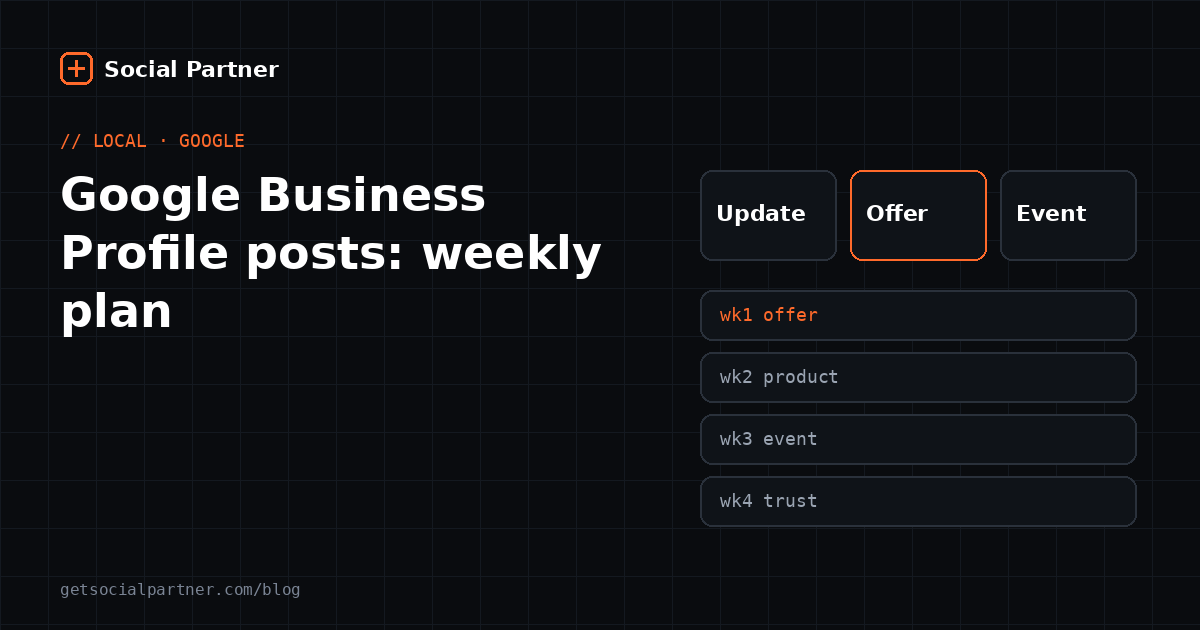
Google offers three post types: Updates for general news, Offers for deals with a start and end date, and Events for something happening at a set time. Pick the type that matches your message, because Offers and Events add structured details, like dates and a "View offer" button, that plain updates don't have.
| Type | Use it for | Required | Extras you can add |
|---|---|---|---|
| Update | News, new products, tips, behind-the-scenes | Description | Photo, video, action button |
| Offer | Sales, discounts, festival deals | Title, start and end dates | Coupon code, link, terms; "View offer" button added automatically |
| Event | Workshops, launches, sale weekends | Title, start and end dates | Times, photo, video, button |
If you leave out the times on an Event, Google shows it as lasting all day on the chosen dates, according to Google's help page on posts.
How do you create a Google Business Profile post?
Go to business.google.com, choose Posts, then Add post, and pick Update, Offer or Event. Add your text, a photo and a button, then select Post. The post shows as Pending while Google reviews it and turns Live once it's approved.
- Open your profile. Visit business.google.com, or search your business name on Google while signed in to the owner account.
- Choose Add post. Select Posts → Add post, then the type.
- Write the post. Lead with the most useful detail: the offer, the price or the date.
- Add a photo and a button. Use a real photo of your product, team or shop. Choose a button that matches the next step you want, such as Call or Order online.
- Schedule or publish. Turn on Schedule this post to pick a date and time, or select Post to publish now.
Tip If you manage more than one location, Google lets you publish the same post to several profiles at once. Select them before you post.
Can you schedule and repeat Google posts?
Yes. Google added scheduling and repeating to Business Profile posts. Turn on Schedule this post to set a future date and time, and use the Repeats menu to publish the same post weekly, monthly or on a custom pattern. Repeating is ideal for standing offers, like a weekday lunch deal.
Scheduling inside Google works well if Google is the only place you post. If you also post to Instagram and Facebook, a scheduling tool that covers every platform saves you entering the same post three times.
Why do Google Business Profile posts get rejected?
Most rejections come from a few avoidable mistakes: a phone number in the text that Google can't match to your business, spelling errors or odd characters, content that looks automated or off-topic, and posts about regulated products. Keep posts clean, specific and about your own business, and they'll usually go Live.
- Phone numbers in the text: Google may reject posts with numbers it can't verify. Add extra numbers to your profile instead, and use the Call button in posts.
- Messy text: misspellings, ALL CAPS, emoji strings or repeated characters look like spam.
- Regulated products: businesses in areas like alcohol, tobacco or pharmaceuticals can post, but not about those products.
- Links: only link to trusted pages, ideally your own website.
If a post shows Not approved, a question mark beside it tells you which policy it broke. Fix that part and post again.
Do Google posts help your local ranking?
Google hasn't said so. Its guide to local ranking names three factors: relevance, distance and prominence. It also recommends complete business information, responding to reviews and adding photos. Posts aren't on that list, so treat them as a tool for winning the customer once they find you.
Our take That's still a big deal. Two shops can appear side by side on Maps. One shows a post from yesterday with a festival offer and a Call button; the other's newest update is from last year. The searcher doesn't know about ranking factors, but they know which shop looks open and worth calling.
So the order of work is: first, complete your profile (category, hours, photos, reviews). Second, post every week. Our guide to social media marketing for small businesses covers setting up the profile itself.
What should you post each week? A four-week plan
Rotate four kinds of posts: an offer, a product or service highlight, an event or seasonal post and a trust post such as a customer story. One post a week on this rotation keeps your profile fresh without running out of ideas, and each type gives searchers a different reason to choose you.
| Week | Post type | Example | Button |
|---|---|---|---|
| 1 | Offer | "10% off all service bookings this week, Monday to Thursday." | View offer |
| 2 | Update: product or service | "New stock: 43-inch smart TVs, with installation included." | Call |
| 3 | Event or seasonal | "Weekend sale, Saturday and Sunday, 10 AM to 8 PM." | Learn more |
| 4 | Update: trust | "Meet Ravi, who has run our repair desk for eight years." | Call |
The examples are illustrations; swap in your own products and people. Struggling for material? Our list of 60 post ideas for local shops works for Google posts as well as Instagram.
How do you write a Google post that gets calls?
Put the reason to act in the first sentence, add one specific detail like a price, date or product name, and end with a clear next step. People reading your profile are often deciding between you and a competitor within seconds, so short, concrete posts beat clever ones.
- Weak: "Visit us for great deals!"
- Better: "Festive offer: 20% off all kurtas until Sunday. Open 10 AM–9 PM. Tap Call to check sizes."
Use a real photo: your shop front, the actual product or your team. Stock images look like ads and give people less reason to trust you.
How should businesses in India use Google Business Profile posts?
Use posts for festival offers, new stock and opening-hours changes, mention the landmark or market people know and add your UPI acceptance to the profile. Many Indian customers search "near me" on Maps before visiting, so a fresh post with a clear Call or Directions button turns that search into a walk-in.
- Festival offers: create an Offer with exact dates for Diwali, Raksha Bandhan or wedding season. It ends automatically when the dates pass.
- Landmarks: "Opposite Sector 48 metro" or "Lajpat Nagar Central Market" helps local readers more than a full address.
- Language: English or Hinglish is fine. Keep spelling clean, since messy text can get a post rejected.
- Holidays: update special hours for festivals, then post a reminder so regulars know when you're open.
How do you know if your posts are working?
Check your profile's Performance section. It shows how many people searched for and viewed your business, and how many called, asked for directions or clicked to your website. Compare these numbers month by month; if they rise on weeks you post offers, you know which post types to repeat.
Keep a simple note of what you posted each week next to the number of calls and direction requests. After two months, you'll see which messages bring customers in.
Social Partner lets you schedule your Google Business Profile posts alongside Instagram, Facebook and YouTube, from one calendar. See pricing or ask us anything on WhatsApp.
Post at the right time, automatically
Schedule a week of Instagram, Facebook and Google posts in one sitting. Social Partner publishes them at your best time, with free AI captions.
Frequently asked questions
Do Google Business Profile posts expire?
Posts aren't deleted, but Google archives posts older than six months unless you set a date range. Offers and Events also end on the dates you give them. Posting weekly means a fresh post is always visible when someone checks your profile.
Can I schedule Google Business Profile posts?
Yes. When creating a post at business.google.com, turn on Schedule this post and pick a date and time. You can also use the Repeats menu to publish the same post weekly, monthly or on a custom pattern, which works well for regular offers.
Why was my Google post not approved?
Usually because it broke a content rule. Common causes are a phone number Google can't verify as yours, misspellings or extra characters, off-topic or auto-generated text, or content about regulated products like alcohol or tobacco. A question mark next to Not approved shows which policy was triggered.
How often should a local business post on Google?
Once a week is a practical target for most local businesses. It's often enough to keep the profile current and few enough to keep each post useful. Time offers and events around your busiest days, and post sooner when you have real news.
Do Google posts improve local ranking?
Google hasn't said they do. Its help page on local ranking names relevance, distance and prominence, plus complete information, reviews and photos. Posts are best seen as a conversion tool: they give people who find you a reason to call, visit or order now.
Can I post the same content on Google and Instagram?
Yes, with small changes. Keep Google posts short and practical, with an offer, price or date and a clear button, because people on Google are close to buying. Instagram captions can be more personal. A scheduling tool can send one post to both with different text.
Summary
- Use Updates for news, Offers for dated deals and Events for things happening at a set time.
- Create posts at business.google.com → Posts → Add post, and use scheduling or Repeats to stay consistent.
- Avoid unverified phone numbers, messy text and off-topic content to prevent rejections.
- Posts mainly help convert searchers; complete info, reviews and photos drive ranking.
- Post weekly on a four-week rotation and track calls and direction requests in Performance.
Sources
- Google Business Profile Help, “Create posts on your Business Profile”. https://support.google.com/business/answer/7342169 (retrieved 18 October 2026)
- Google Business Profile Help, “Tips to improve your local ranking on Google”. https://support.google.com/business/answer/7091 (retrieved 18 October 2026)
Figures checked on 18 October 2026.